ShopDreamUp AI ArtDreamUp
Deviation Actions

Colour Scheme Tools
So I have been thinking of doing a few articles apart from feature articles to link some useful resources for artists and this is the first one of these. While this is a mini one, it's helped me a lot on several occassions.
Sometimes it gets confusing to decide which colours to choose. "'Should I go with a turquoise and a gold for the face? What about the room? I was going for a chic cool modern palette which is minimalistic!" Surely, a lot of us have gone through those decisive moments. Below are some colour scheme tools that would help you with your colour scheme choices. Click the titles or the links in asterisk to go to the following sites.
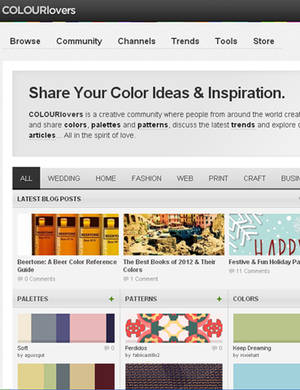

Adobe's own version of COLORlovers. You can create your own schemes and save them for later use. To save or download themes, sign in with your Adobe ID. To create an Adobe ID, click Register on the Kuler site*. It's free! You can access it from Creative Suite 6* as well.

An interactive form of choosing colours and creating your own palettes by mixing, adjusting and blending colours. Available as an iPad app as well. Takes some time to load personally.

An excellent editable colour wheel for creating colour palette. Monochromatic, complementary, triad, several forms and varying saturations and light and darkness.

Generates colour schemes based on the image link you provide.

Similar to DeGraeve's Color Palette Generator, this lets you get a colour scheme based on image on your computer. So you can use your image to get a colour scheme and use that for designing your website for example. It also suggests similar colour schemes from COLOURlovers* and Kuler* and download the swatch file.
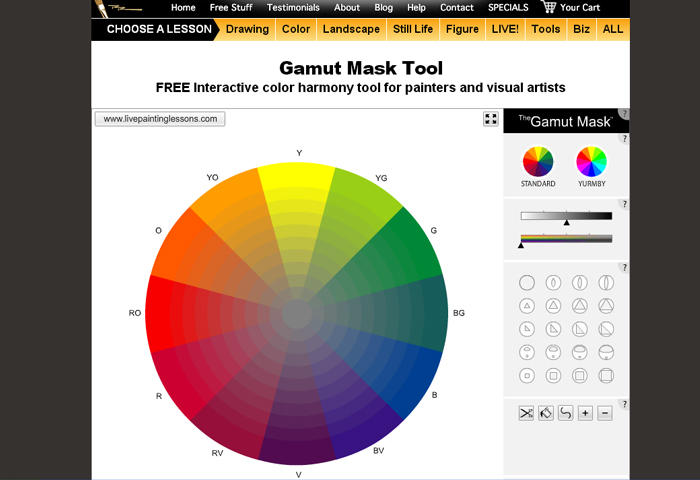
"The Gamut Mask is a great way to created harmonic color schemes. It simplifies your color choices and saves you lots of time and paint in achieving unified color palettes quickly and easily." Developed by Richard Robinson from the original concept from James Gurney. Click through to find out how to use it.
Don't forget to share them, fave it, bookmark it and spread it around! 
Take care! 



Touching this with 7 feet pole
Fun processes like WIPs, early access to stuff/sometimes ideas! Things will change later. Trying it out! Things in cover image may not be what’s in the tier! :3
Access is from starting from the day you subscribe. For now, and it’s not set in stone.
$7/month
DD Round Up: January - March 2024
Here's the collection of Daily Deviations for January - March 2024. Please do take a look at them and give them some love!
DD Round Up: The Year is 2023
Here's the collection of Daily Deviations for 2023. Please do take a look at them and give them some love!
DD Round Up: June - December 2022
Here's the collection of Daily Deviations for June 2022 - December 2022. Please do take a look at them and give them some love! A blast from the past. :paranoid:
Forum Redesign and Moderation
Forum Updates Redesign and Moderation Redesign and Restructure DeviantArt Forums have been recently updated on December 11, 2023 to bring it into the Eclipse design to uplift it to resemble the rest of the site. Some of the pre-existing forum categories have been removed, renamed, and/or merged for various reasons such as lack of use compared to the rest, excessive spams, divisive and problematic areas that resulted in extensive moderation by staff in those forums. Moderation With the redesign and restructuring of the Forums, Community Volunteers (CVs) are not in charge of moderating the forums anymore. All moderation will be carried out by @moonbeam13 and staff of Customer Service. There are no Forum CV position. DeviantArt staff will be monitoring forums and fully moderated by staff only. As a result, if you wish to report any thread(s) or any forum activity for any reason, please tag staff working in CS and/or @moonbeam13 . Please be patient while they update any related KB
Featured in Groups




Comments82
Join the community to add your comment. Already a deviant? Log In

Check ours too, https://icolorpalette.com/